How IDEAL Can Power Every Process in Your Dealership (So You Can Rely Less on Third-Party Tools)

Most dealerships didn’t plan their tech stack – they added tools as problems came up. A website here, a payment provider there, a CRM to chase leads, and so on.
Each one helped in the moment, but together they create extra work. Your team enters the same information in more than one place. Numbers don’t always match between systems. You’re managing multiple vendors, contracts, and logins. And the real cost of all those third‑party tools adds up fast.
An easier way to gain back both time and money is to push more of that work into a single, connected system.
IDEAL is designed to be that system for dealerships. It can already touch most of the processes you run today. In this blog post, we’ll map out the IDEAL ecosystem and show how it lines up with the third‑party tools many dealers are paying for now.
Click to Jump Ahead:
- The IDEAL Ecosystem: One System at the Center of Your Dealership
- Where IDEAL Can Help in Your Day-to-Day (By Department)
- Quick Questions to Spot Gaps in Your Own Dealership
1. The IDEAL Ecosystem: One System at the Center of Your Dealership
When you look at everything that has to happen in a typical day – selling units, writing repair orders, ordering and pricing parts, taking payments, and closing the books – it’s easy to see how dealers ended up stacking tools on top of each other.
The IDEAL ecosystem is meant to pull those pieces back toward one center.
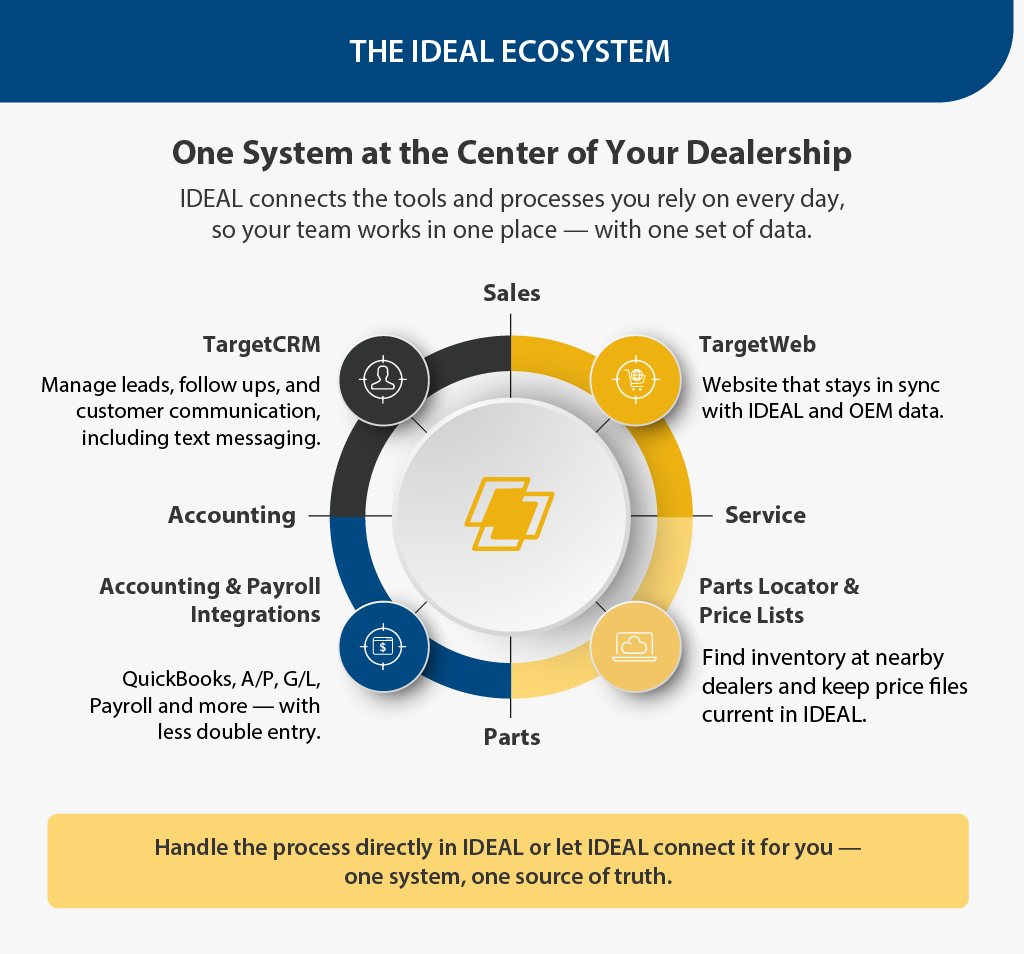
At the core is your IDEAL DMS, where you manage sales, service, parts, and accounting. Around that, there are connected capabilities that either replace common third‑party tools or cut down the manual work they create:
- Embedded payments so you can take customer payments and have them flow into IDEAL instead of reconciling separate payment portals by hand.
- TargetWeb for a website that stays in sync with IDEAL and OEM data, helping you avoid double‑listing and re‑pricing units in a separate web platform.
- TargetCRM for managing leads, follow‑ups, and customer communication (including text messaging), rather than relying on a generic CRM or stand‑alone texting tool.
- Parts Locator and Price Lists help staff find inventory at nearby dealers and keep price files current inside IDEAL instead of juggling spreadsheets and external portals.
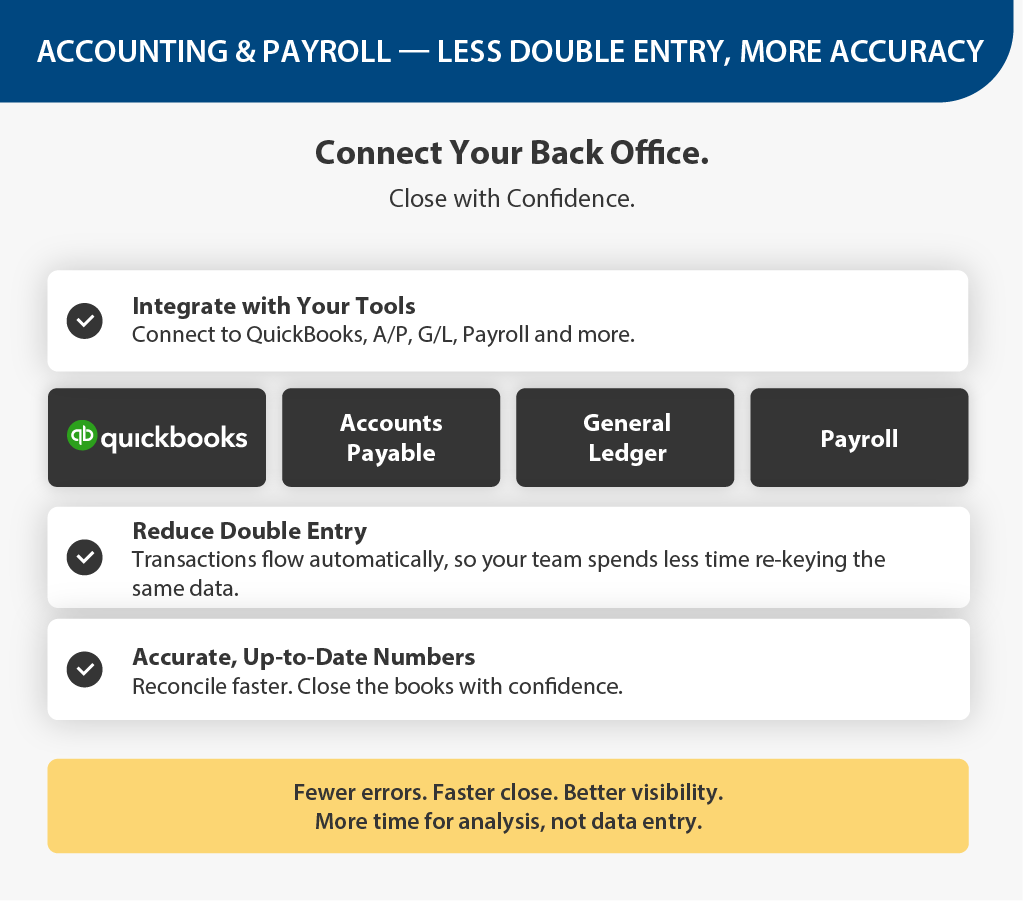
- Accounting and payroll integrations such as QuickBooks, Accounts Payable, General Ledger, and Payroll, to reduce double entry between IDEAL and your back‑office systems.
IDEAL can either handle the process directly or sit in the middle, so your team is working from one consistent system instead of many disconnected ones.
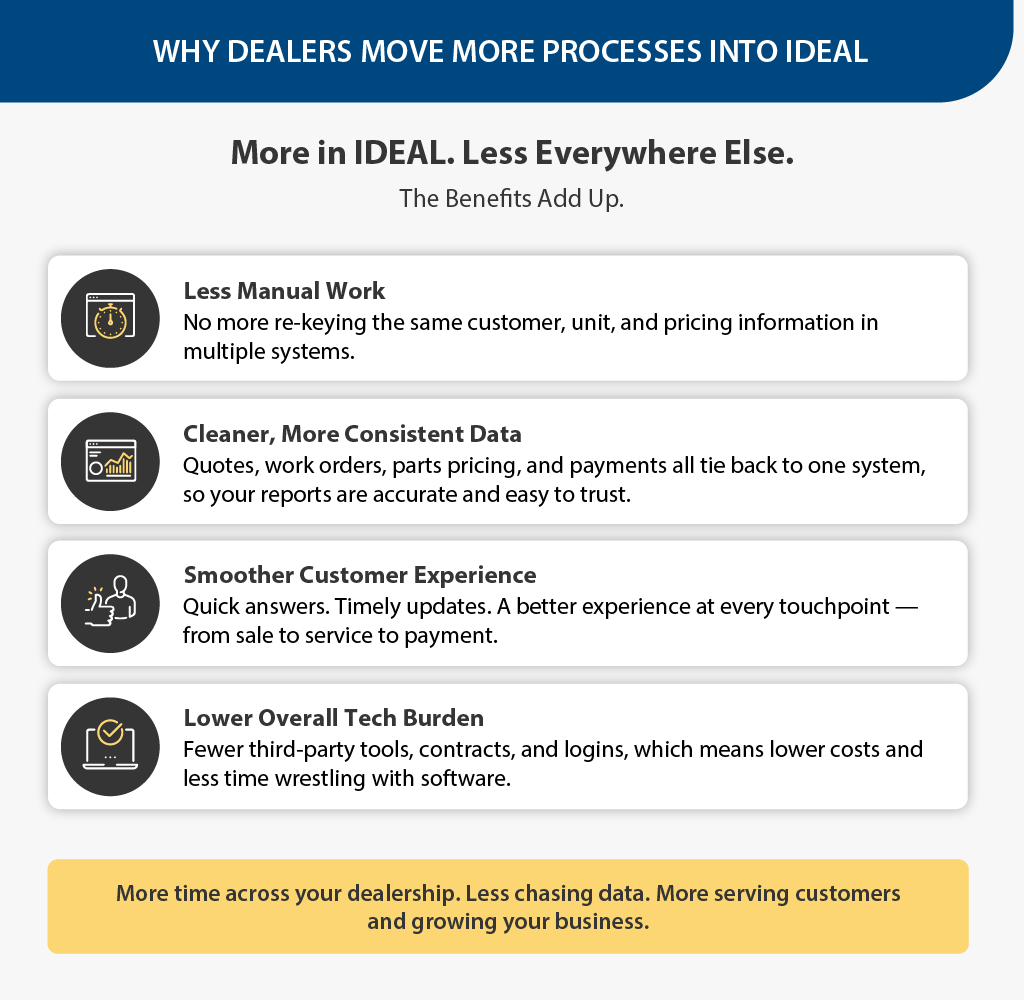
When more of your processes start and end in IDEAL, you see a few things right away:
- Less manual work: The same customer, unit, and pricing information doesn’t have to be entered in multiple systems. That means fewer late nights fixing data and fewer chances for mistakes.
- Cleaner, more consistent data: When quotes, work orders, parts pricing, and payments all tie back to one system, it’s easier to trust what you see on your reports. You spend less time asking, “which number is right?” and more time acting on the information.
- Smoother customer experience: Whether a customer is buying a unit, dropping one off for service, or paying a bill, your team can see what’s happening without digging through multiple tools. That makes it easier to give quick answers, send timely updates, and keep people coming back.
- Lower overall tech burden: Fewer third-party tools means fewer contracts to renew, fewer logins to manage, and fewer disconnected systems to support. Over time, that can reduce both your subscription costs and the “hidden” cost of staff time spent wrestling with software.
Taken together, these changes can free up hours each week across sales, service, parts, and accounting – time your team can put back into customers and growth, rather than chasing data.
2. Where IDEAL Can Help in Your Day-to-Day (By Department)
Once you start looking at your store through the lens of “how many tools does this process touch?”, patterns show up quickly. Below are a few common examples by department of dealers still doing extra work outside IDEAL, and how those same processes can be handled more smoothly within the IDEAL ecosystem.
Sales & F&I: Fewer Places to Chase Leads and Deals
In many dealerships, leads land in one system, quotes live in another, and the final deal ends up in IDEAL. That means a lot of re‑keying and a lot of chances to miss a follow‑up.
With IDEAL and TargetCRM, you can:
- Capture and track leads in one place, including website and walk‑in traffic.
- Use text messaging to follow up with prospects, send updates, and even collect deposits.
- Keep the history of those interactions tied to the customer and the deal inside IDEAL.
This way, you have fewer systems to log into, and a clearer picture of where each opportunity sits, from first contact through F&I.

Service: Clearer Communication Without Extra Tools
Service departments often lean on phone calls, sticky notes, or stand‑alone texting apps to keep customers in the loop. That’s a lot to manage on top of an already busy shop.
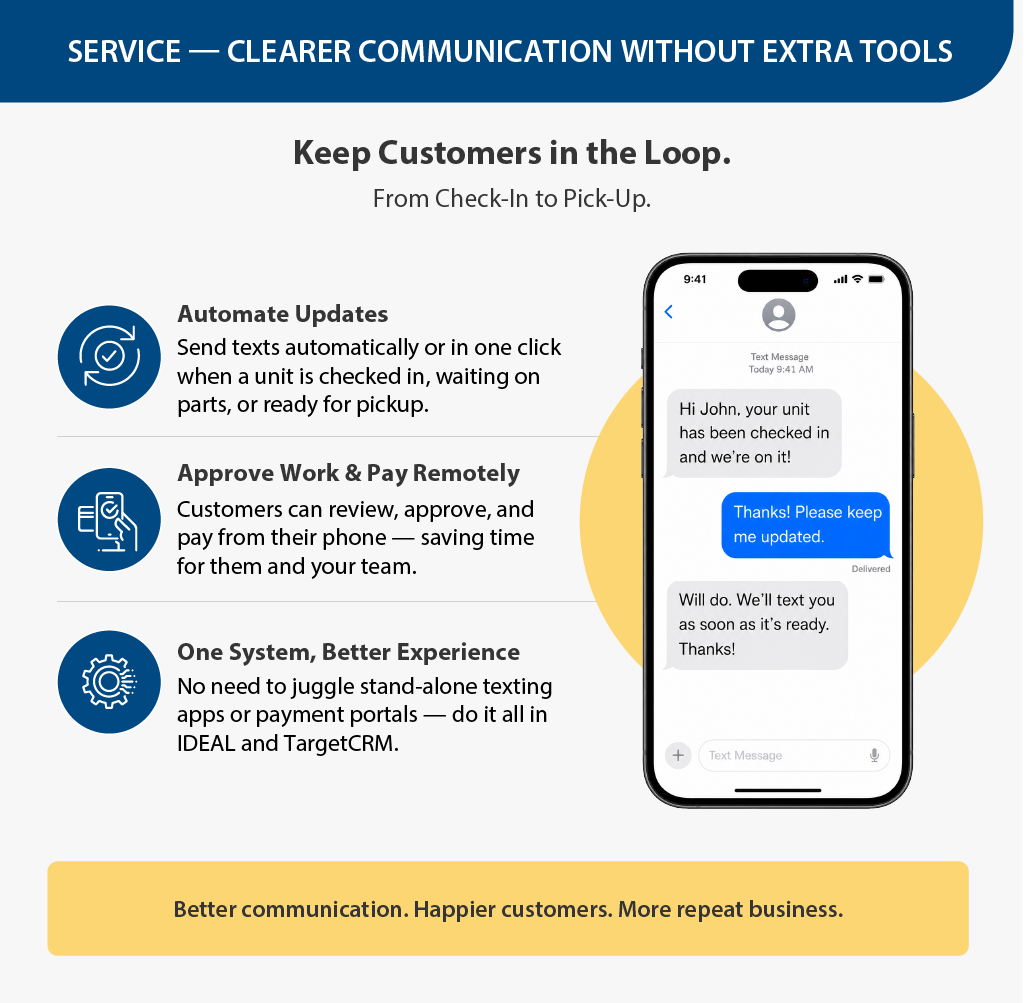
With IDEAL and TargetCRM, service teams can:
- Send automatic or quick text updates when a unit is checked in, waiting on parts, or ready for pickup.
- Let customers approve work and pay remotely, cutting down on back‑and‑forth at the counter.
Instead of juggling separate tools for communication and payment, your service staff can work from IDEAL and keep customers informed in the way they prefer.
Parts: Price Files and Hard-to-Find Parts in One Place
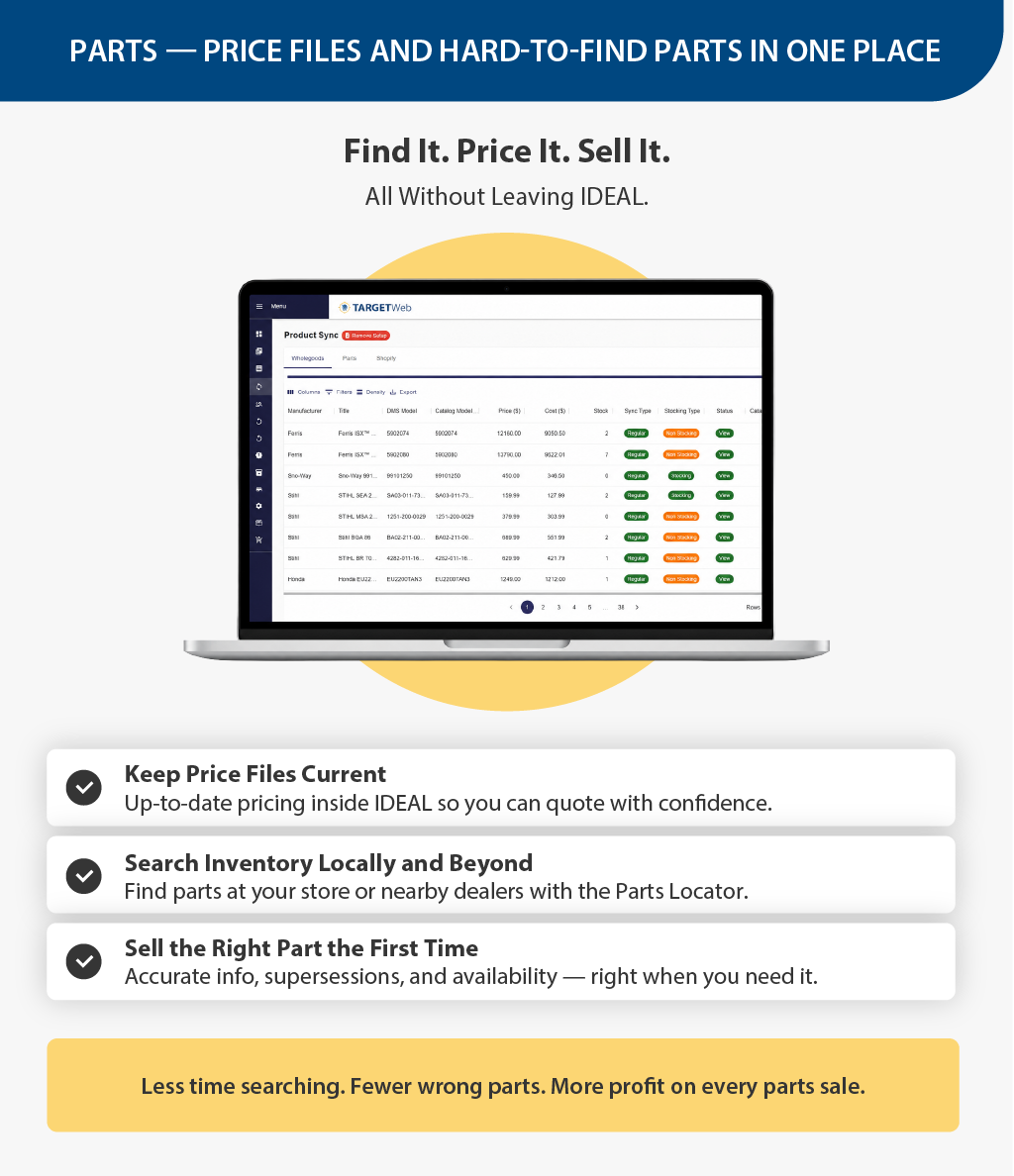
Parts departments are usually the first to feel the pain of disconnected systems – price lists in spreadsheets, supersessions in OEM sites, and phone calls to other dealers to track down older parts.
IDEAL allows you to automatically update manufacturer and distributor price files inside the system, so part numbers and pricing stay current without manual imports.
And with Parts Locator, staff can easily search nearby dealers for inventory, which is especially useful for discontinued or slow‑moving OEM parts.
That means less time jumping between portals, and more time getting the right part to the right technician or customer.
Accounting & Admin: Less Double Entry, Cleaner Books
In the back office, it’s common to see a mix of third‑party payment reports, accounting packages, and payroll tools that all need to be tied back to IDEAL.
With IDEAL’s embedded payments and accounting integrations, you can:
- Post transactions from payments directly into IDEAL, reducing manual reconciliation between payment providers and your DMS.
- Use the QuickBooks interface, Accounts Payable, General Ledger, and Payroll integrations to move data more reliably between IDEAL and your financial systems.
The result is fewer surprises at month‑end and less time spent tracking down why one report doesn’t match another.
3. Quick Questions to Spot Gaps in Your Own Dealership
By this point, you might already see a few areas where work is happening outside IDEAL that could be pulled back into one place. To make things easier, here’s a short set of questions you can run through on your own or with your IDEAL representative.
You don’t need to overthink it, just a quick gut‑check is enough.
1. Website and leads
- How are units getting from IDEAL onto your website today?
- When a lead comes in from your website or a form, does it land in IDEAL/TargetCRM, or does someone have to re‑enter it?
2. Payments
- How many different ways can customers pay you right now (in‑store terminal, online link, phone, text, etc.)?
- For each of those, does the payment automatically show up in IDEAL, or does someone reconcile it at the end of the day?
3. Customer communication
- When you need to update a customer about a unit, estimate, or repair, are you calling one by one, using a stand‑alone texting app, or working directly from IDEAL/TargetCRM?
- Can your team see the full history of texts, calls, and emails in one place?
4. Parts and pricing
- Where are your price files actually being maintained – inside IDEAL, in spreadsheets, or in supplier portals?
- When you need a hard‑to‑find part, are you searching from within IDEAL (using tools like Parts Locator) or relying on phone calls and emails?
5. Accounting and payroll
- How many times does a single sale or repair touch different systems before it shows up in your financials?
- Are you entering transactions twice – once in IDEAL and again in accounting or payroll software?
Anywhere you answer, “we’re doing that in more than one place” or “we’re re‑keying that,” there’s a good chance IDEAL can either handle the process itself or connect systems in a way that cuts down the manual work.
Let IDEAL Do More of the Work for You
Dealerships will always need technology. The question is whether that technology is working together or making your day more complicated than it needs to be.
When more of your processes run through IDEAL – whether that’s payments, website, leads, customer communication, parts, or accounting – you’re asking your team to manage fewer systems and repeat themselves less. That usually shows up as fewer mistakes, faster answers for customers, and more time back in everyone’s day.
If reading this has surfaced a few “we’re still doing that the hard way” moments, that’s a good sign. Pick one area – like payments, price files, or how you handle leads – and take a closer look at how it runs today.
If you’d like help mapping your current tools to what’s available in IDEAL, reach out to your IDEAL representative to walk through it together and see where you could simplify.